🔌 Indexer API Documentation
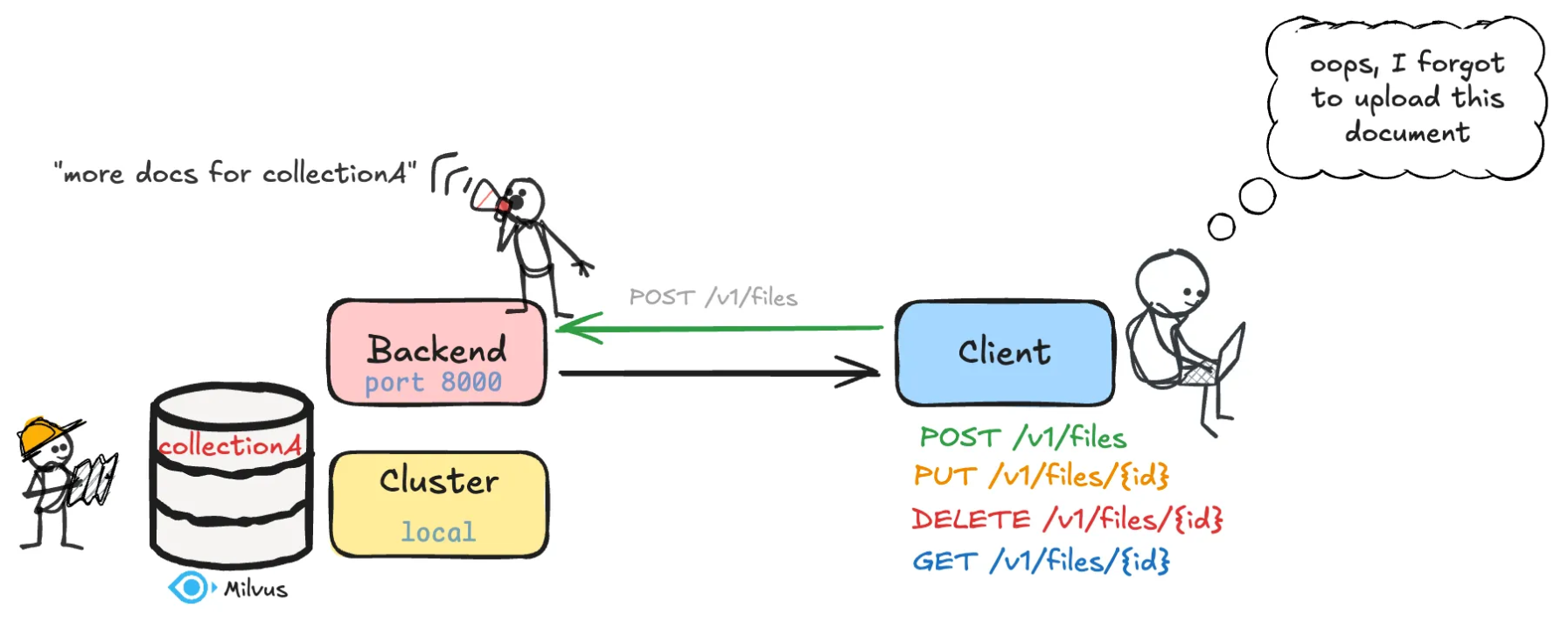
Overview
The Indexer API allows users to upload, update, download, delete, and index documents into a Milvus vector database for retrieval-augmented generation (RAG) and search applications.
⚙️ Backend server setup
Setup Instructions
1. Optional: set environment variables
If you would like to use a specific database and collection name please set the environment variables using the code below.
Otherwise, the following default values will be used:
Milvus URI =
demo.dbMilvus database name =
my_dbCollection name =
my_documents
export MILVUS_URI="your_milvus_uri"
export MILVUS_DB="your_database_name"
export DEFAULT_COLLECTION="your_collection_name"
2. Run the server
To start the server, run this command:
python3 -m mmore index-api --config-file /path/to/config.yaml --host the_host --port the_port
This command:
starts the Uvicorn ASGI server on the specified host and port
loads the FastAPI application from
src/mmore/run_index_api.py
Warning
Keep this terminal window open. The backend runs in the foreground, and closing the terminal will shut it down.
📂 API Usage
Upload endpoints
▶️ POST /v1/files
Upload a single file
Parameter |
Type |
Description |
|---|---|---|
|
|
Unique identifier for the file |
|
|
File content to upload |
rejects duplicate IDs
automatically processes and indexes the file
Response:
{
  "status": "success",
  "message": "File successfully indexed in my_documents collection",
  "fileId": "example123",
  "filename": "doc.pdf" }
▶️ POST /v1/files/bulk
Upload multiple files with IDs
Parameter |
Type |
Description |
|---|---|---|
|
|
Comma-separated list of file IDs |
|
|
Files to upload |
validates 1-to-1 correspondence between files and IDs
processes and indexes each file with its corresponding ID
Response:
{
  "status": "success",
  "message": "Successfully processed and indexed 3 documents",
  "documents": [{"fileId": "doc1", "text": "First 50 characters..."}]
}
🔁 Update Endpoint
✏️ PUT /v1/files/{fileId}
Replace an existing file and re-index
Parameter |
Type |
Description |
|---|---|---|
|
|
Existing file ID |
|
|
New file to replace with |
deletes the previous vector entry
re-indexes new content with the same ID
Response:
{
  "status": "success",
  "message": "File successfully updated",
  "fileId": "doc123",
  "filename": "new.pdf"
}
🗑️ Delete endpoint
❌ DELETE /v1/files/{fileId}
Delete a file and remove its vector entry
Parameter |
Type |
Description |
|---|---|---|
|
|
ID of the file to delete |
deletes both local file and vector DB entry.
Response:
{
  "status": "success",
  "message": "File successfully deleted",
  "fileId": "doc123"
}
📥 Download endpoint
📄 GET /v1/files/{fileId}
Download a file by its ID
Parameter |
Type |
Description |
|---|---|---|
|
|
ID of the file to download |
Returns the file with binary content.
🔄 How it works
Upload → the file is saved temporarily
Process → the file is processed
Crawling: files are parsed using
CrawlerDispatching: files are dispatched to the proper processor using
DispatcherProcessing: text, images, and metadata are extracted and returned as a
MultiModalSample
Indexing → dense and sparse vectors are stored in Milvus
🧰 Developer notes
vector database: Milvus via
pymilvus.default embedding models:
dense:
sentence-transformers/all-MiniLM-L6-v2sparse:
splade
supported file types:
.pdf, .docx, .pptx, .md, .txt, .xlsx, .xls, .csv, .mp4, .avi, .mov, .mkv, .mp3, .wav, .aac, .eml, .html, .htm
💡 Tips
avoid duplicate
fileIdunless you are intentionally updating a file withPUTyou can test endpoints via Swagger UI at
/docs